
Awards & Recognition List
HubSpot Module — Setup & Usage Guide
1. Module Location
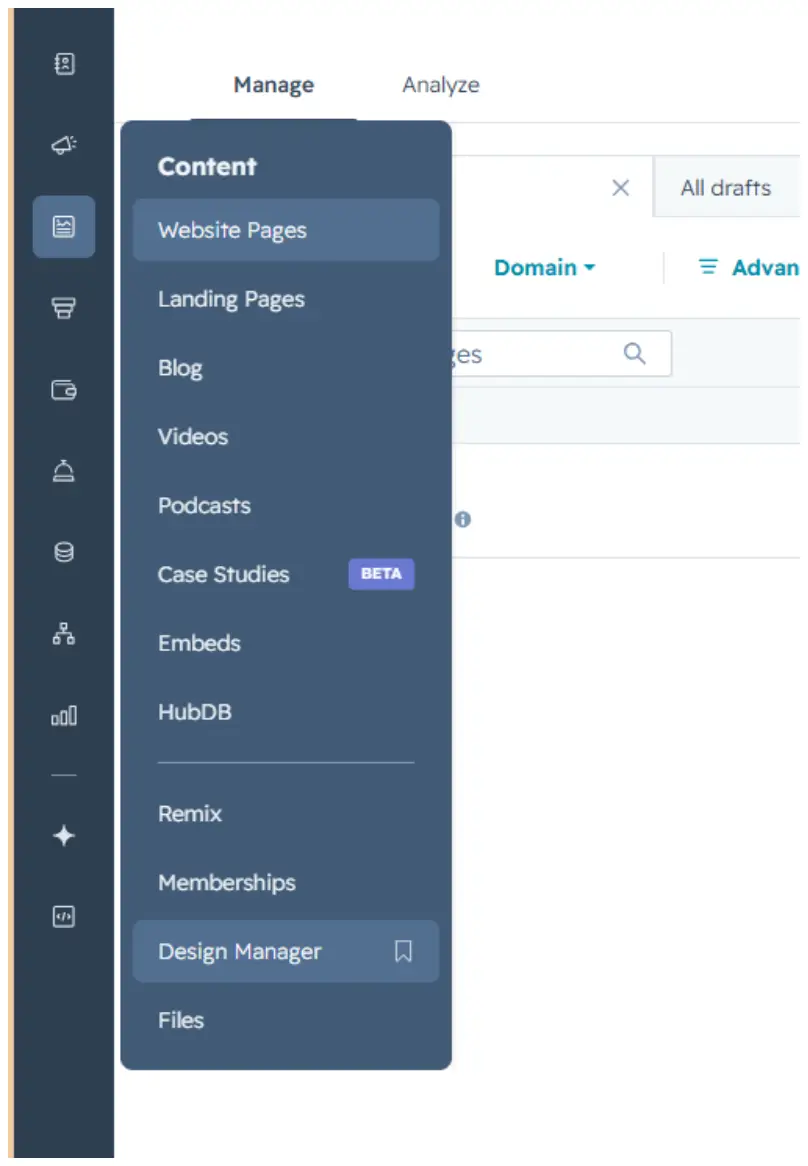
The Awards & Recognition List module is saved in the Design Manager, under Content.
Path: Manage → Content → Design Manager
2. How to Use the Module
Step 1 — Find the module
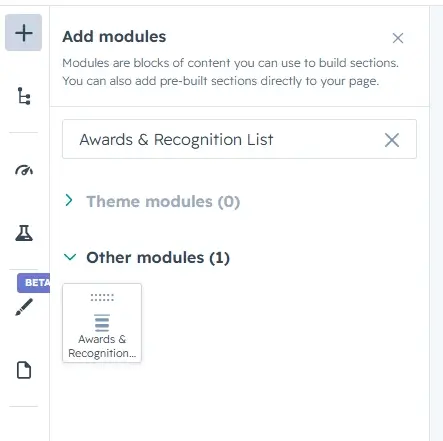
Click the + icon in the page editor to open Add modules, then search for the module name “Awards & Recognition List.”
Step 2 — Add it to the page
Drag the module from the search results panel onto the desired section of the page.
Step 3 — Edit the content
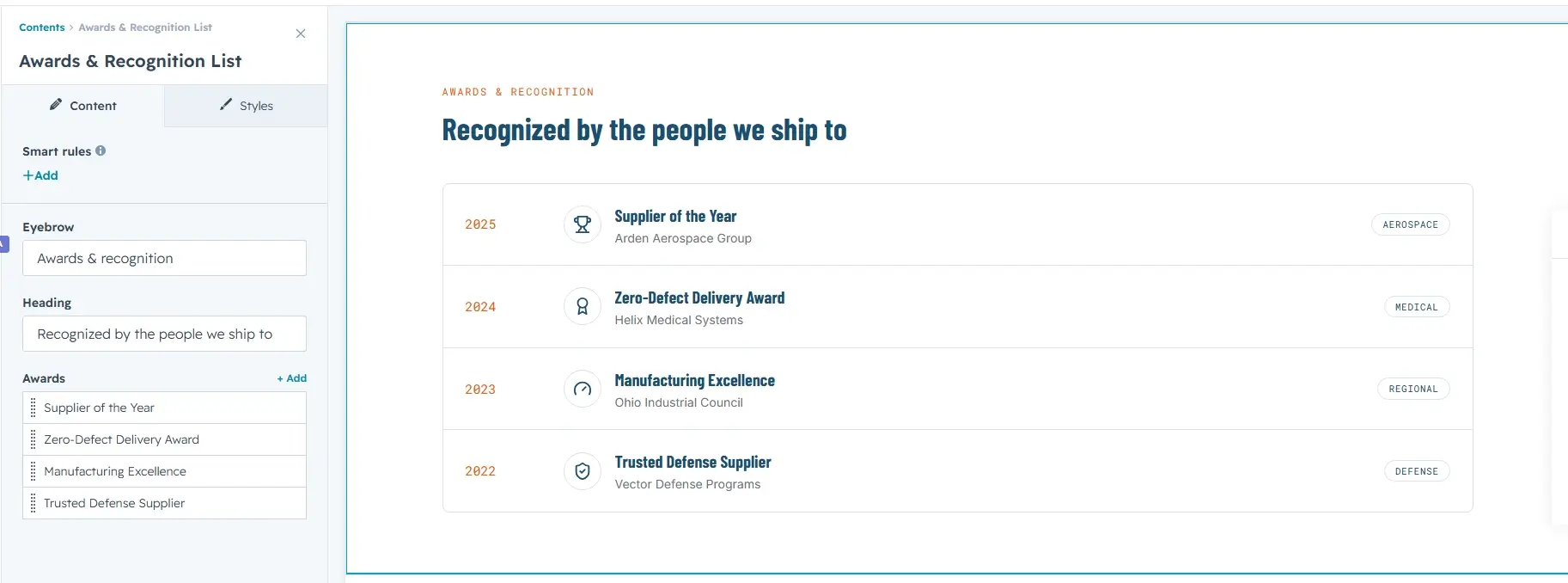
Open the module's Content tab to edit the Eyebrow, Heading, and the list of Awards.
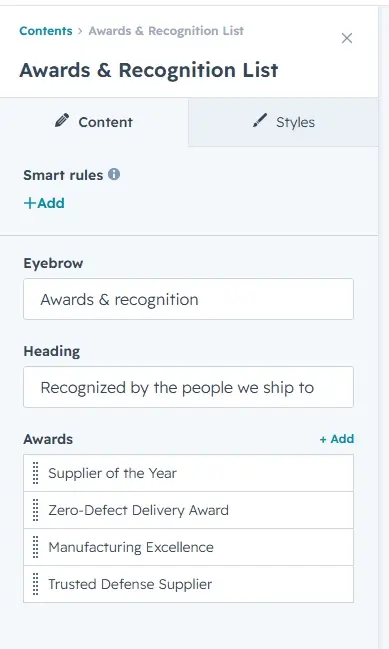
To update an individual award, hover over the item in the Awards list and click the pencil icon that appears. Each award has six fields: Year, Icon (Trophy, Medal, Excellence, Shield, or Custom SVG), Custom SVG (used only when Icon is set to Custom SVG), Award Title, Organization, and Category. Use the Previous / Next controls at the top to move between items. You can add up to 12 awards.
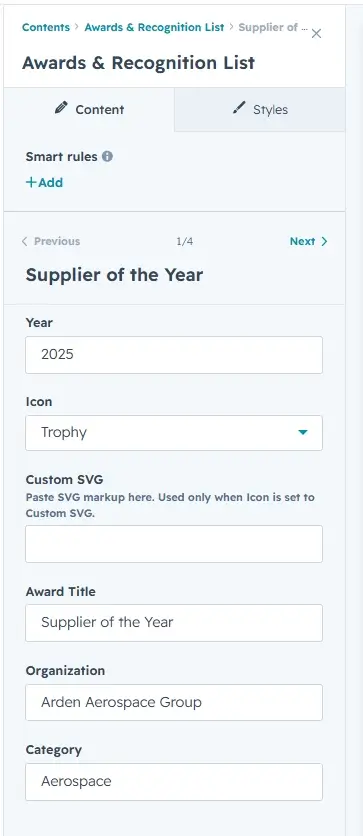
Step 4 — Customize the styling
Switch to the Styles tab to adjust the module's appearance. Styling is organized into four collapsible groups: Section Background, Typography, Award Rows, and Icon.
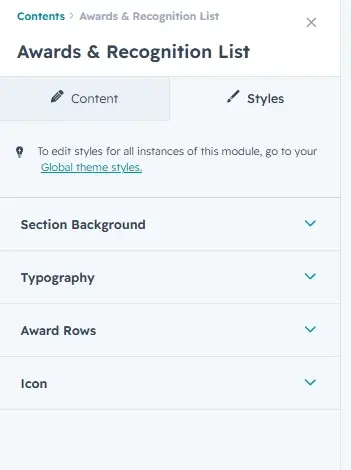
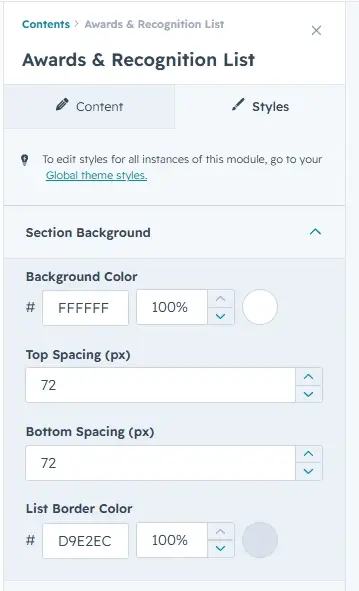
Section Background
Set the Background Color, the Top / Bottom Spacing (in px, 0–200) around the section, and the List Border Color used by the list frame and the divider lines between rows.
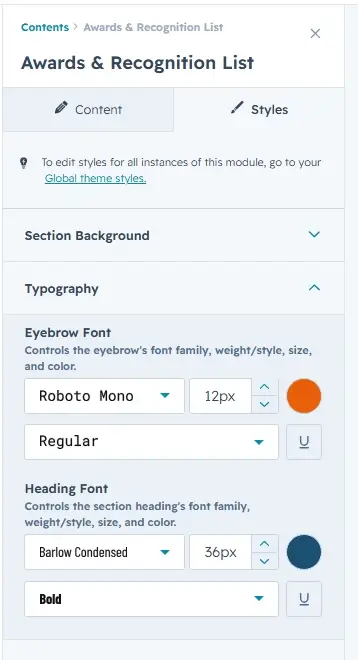
Typography
Control the font family, size, weight, and color for the Eyebrow and the section Heading.
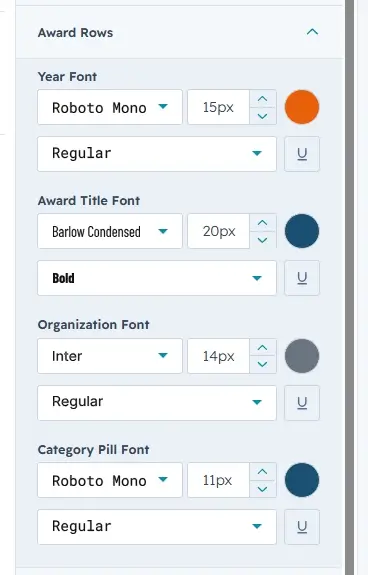
Award Rows
Set the fonts for the Year, Award Title, Organization, and Category Pill text independently.
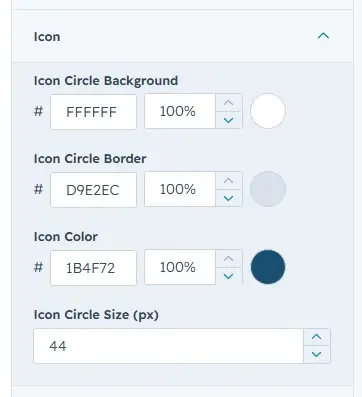
Icon
Customize the icon circle's Background, Border, and Icon color, plus the Circle Size (px, 24–80).
3. Quick Reference
- Add module: Search “Awards & Recognition List” → drag onto page
- Edit content: Content tab → Eyebrow / Heading / Awards list
- Edit a single award: hover → pencil icon → Year / Icon / Custom SVG / Award Title / Organization / Category
- Award limit: 1–12 items
- Edit styling: Styles tab → Section Background / Typography / Award Rows / Icon